

yourhandle@mail.skarmy.ai. The Inbox page is where you read, write, and approve what goes out.
Before you start
Nothing to set up — the address is provisioned when you first need it. You can change the handle in Settings → Company → Email.The page
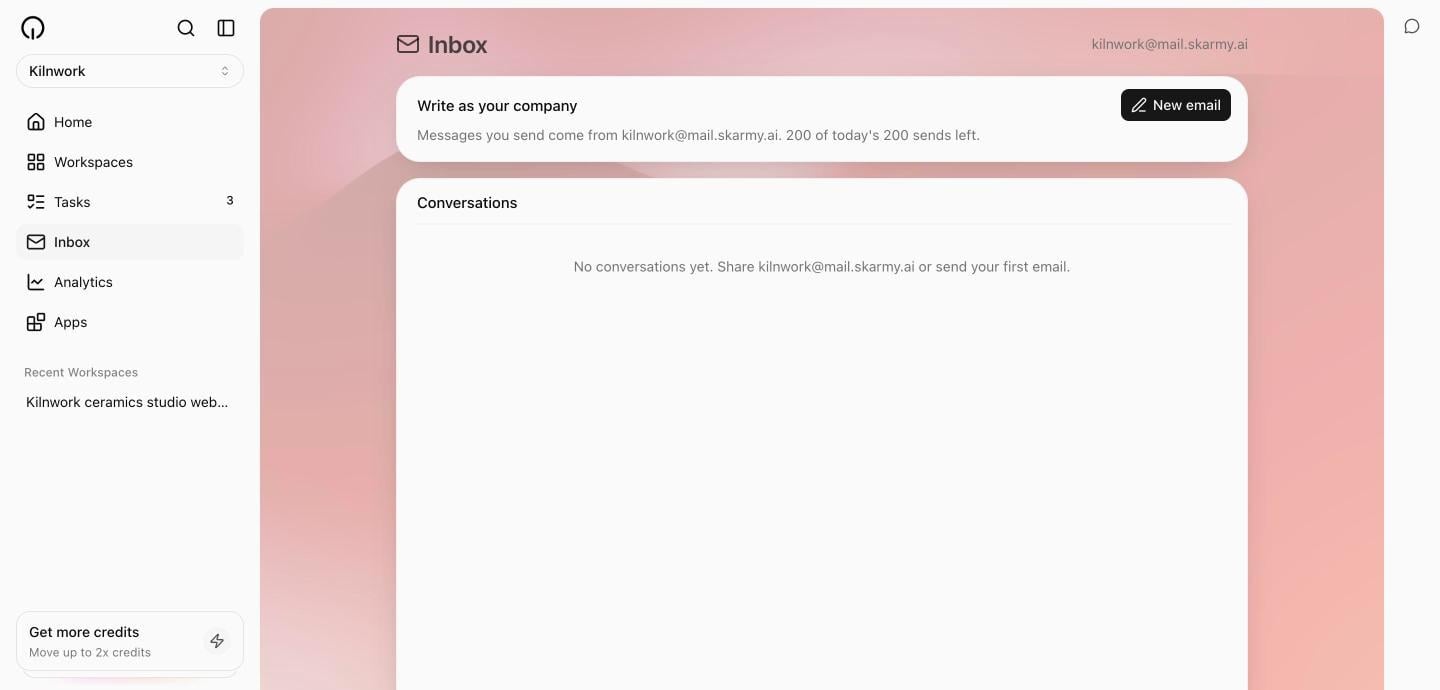
Select Inbox in the sidebar. The header shows your company’s address. Below it:- New email — a composer that folds out inline, for writing as your company.
- Conversations — every thread, newest first.
No conversations yet. Share {your address} or send your first email.
Let Skarmy draft it
Two ways Skarmy helps with the writing:- Write it — in the composer, Skarmy drafts a subject and body for a new message, or a reply grounded in the recent thread. You edit and send.
- Agent drafts — automations like Inbox catch-up leave reply drafts waiting in the thread. You approve or discard each one.
Skarmy never sends email on its own. Every outgoing message — yours, drafted, or agent-written — leaves only when you send or approve it.
Your handle
The part before@mail.skarmy.ai is your handle. Rules:
Change it in Settings → Company → Email.
Limits
If sending gets paused
Email providers penalise addresses that bounce or get marked as spam, so Skarmy protects your address: one spam complaint, or five bounces within a week, pauses sending while things are looked into. You see:Sending is paused for this address while we look into delivery problems. You can still receive and read email.Receiving is never paused. If this happens and you believe it is a mistake, contact support.
Verify
- The header shows your address.
- A test email sent to your address from your personal account appears in Conversations.
- Your reply arrives back.
Troubleshooting
Next
Automations
Have Skarmy check this inbox on a schedule and draft replies.
App permissions
The rules for everything Skarmy does on your behalf.