

The hero
Arriving at Home you see a heading — What’s your idea? for a new company, or a greeting with your name once your company has an identity — with the composer below it. The composer’s placeholder readsWhat should we do today?.
Type anything and send it: the page becomes the conversation with the coach, full width. The thread carries on in Chats and in the chat panel on other pages.
The get-started checklist
Until you have done the basics, a checklist sits on Home (and on Tasks) with a progress bar:- Let Skarmy interview you — a conversation that turns into your business plan
- Make your first build — done once a build has ever started
- Connect to featured apps — done once any app is connected
The Company Overview
Below the hero, your company’s dashboard peeks in as a sheet you can pull up. Its cards: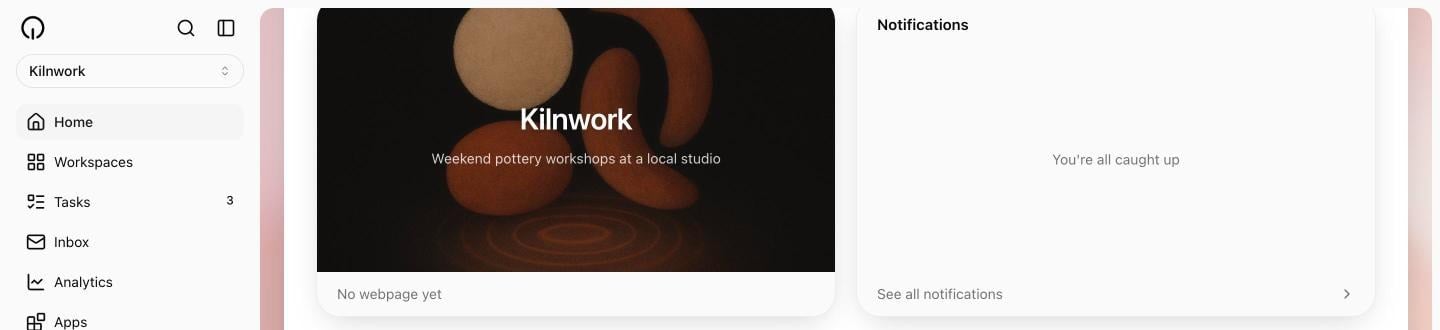
The Analytics page in the sidebar is an early preview and does not show live data for your company yet. The dashboard’s Performance card fills in as analytics become real.
Getting here from the marketing site
If you typed an idea on www.skarmy.ai, it arrives with you: the idea is fired into the coach conversation as soon as you land, so you never retype it.Verify
- Typing in the composer swaps Home into the conversation.
- The checklist reflects what you have actually done.
- After your first publish, the Product card shows your site.
Next
Daily tasks
What Skarmy suggests you do next, every day.
Your company inbox
The email address your company answers from.
Connect your apps
Bring your tools into the conversation.